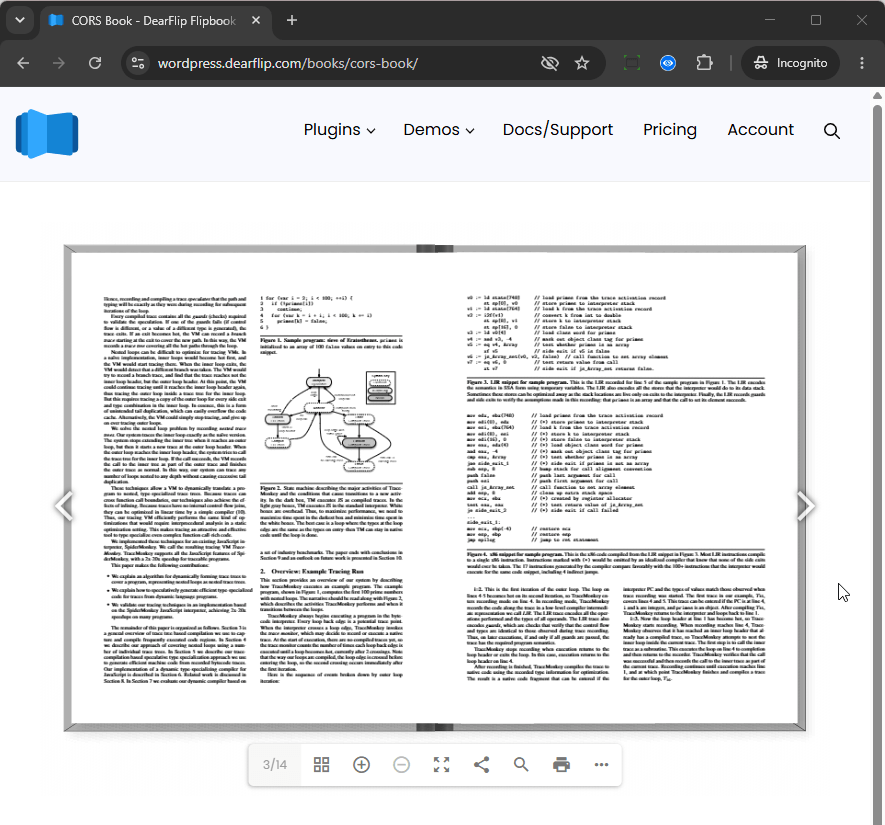
Normally a page is required to display a flipbook. It self cannot exist in a browser tabs without being inside a page from your site. In-fact this solution opens in a flipbook post page. Example: https://wordpress.dearflip.com/books/meat-atlas/
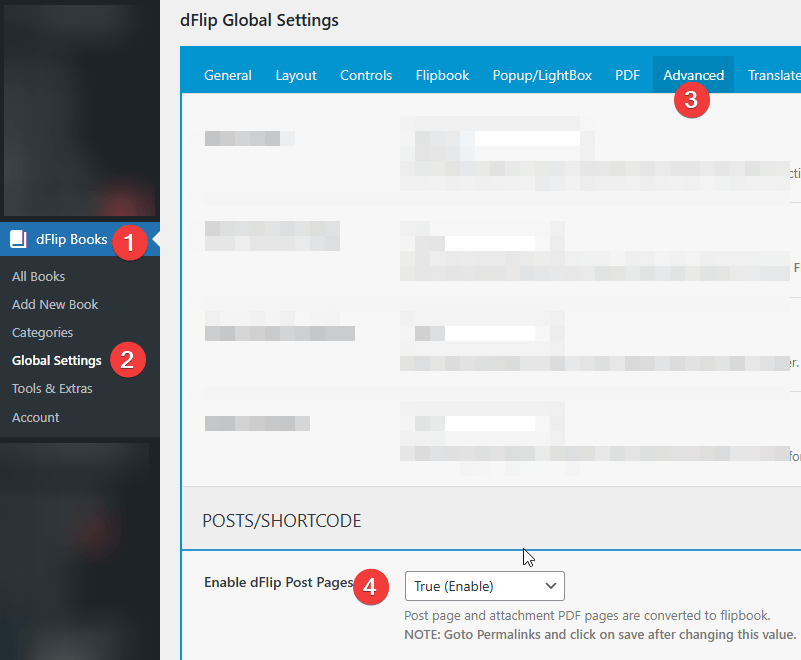
Step 1: Enable dFlip Post Pages
Goto Global Settings → Advanced and find Enable dFlip Post Pages under Posts/Shortcode section. Set the value to True(Enable) and save the global settings.
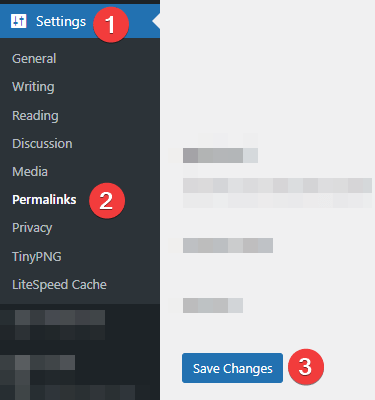
Step 2 : Re-save Permalinks
After enabling/Disabling dFlip Posts Setting . It is necessary to Goto WpAdmin->Settings->Permalinks and click on save button to update the permalinks.
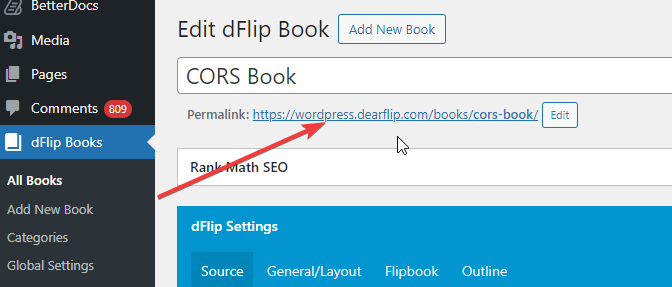
Step 3: Check the Flipbook Post Link
Once the permalinks are saved, The individual flipbook posts get their own permalink. Reopen any dFlip post and you can see their own permalink, ready to use.
Example: https://wordpress.dearflip.com/books/meat-atlas/
Step 4: Open the flipbook link
The page will use a blank page as template to display flipbook with site header and footer.
Example: https://wordpress.dearflip.com/books/meat-atlas/